Sunday, 30 March 2025

 Todo Application in Javascript

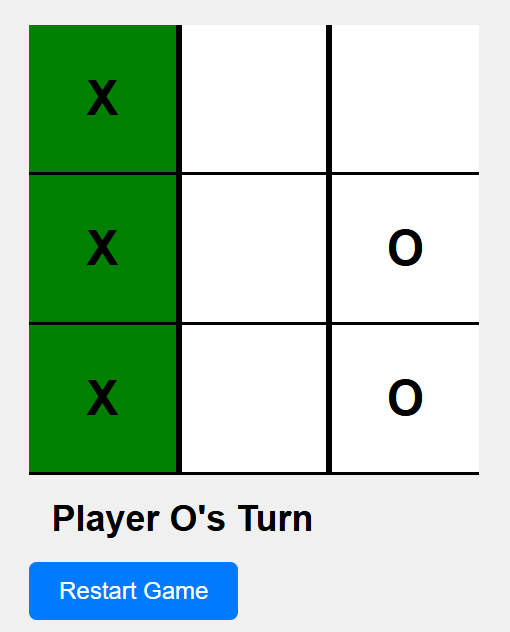
A To-Do App in JavaScript is a simple application that allows users to create, manage, and track tasks. 


Checkout the live preview at:

https://ankur-todo-js.netlify.app/

Get the code at:

https://github.com/bhatnagarAnkur/TodoAppJS


Sunday, 20 January 2013

Getting Facebook Contacts in 4 Simple Steps


Here I am giving you simple demonstration about how to import contacts from Facebook.

Step 1: Create a facebook app at https://developers.facebook.com/
 I have created a try app which I am using to get my FB contacts:

client_id=345255442153376
Client_Secret=dba2c658b768480a616d7fc7f198e725  &
redirect_uri=http://localhost:6209/default.aspx


After completing step 1 go to step 2.


Step 2:  Browse to the below url in browser window:


it will ask for permissions click Allow Button:
This will give u a window like below which is having code=some_code like query string in browser window we need to use this code further.


We need to use code 

(code=AQDAklJNfyMiZvOSUZBCHgw0KTwIQoJRPoN0tTJ90CJL6Xb547wHRaKlem81WWQsg_59o-OI9-VpoF7O0UQ09wAqn6AUV0QX7CYreYvlIQjPS4D5ptoUxJep1hJ5CGgo9zCayyaS5W8emja39bUYas4SvdsR9vLLVnGOCDDGgmvrO4e0enIh5nXchXbb3JxJw6EDz4Cqf2OSzunCLLWEZxux#_=)  in next step.

Step3 :  Now browse to the url in browser window:


Note: we need to use same code which we have retrieved in step2.    
                               
This step will give you an access token as query string. Something likes this:


access_token= AAACEdEose0cBAM3Dbomr0wlNsMySIa8QGavZB15onOZAGZBGi8bPLHLOZCl6HXVCTNO17sPLArfThihlAbosDlyfbFJyZAOh2EHVbWZB3WbKxAX1o5E9Gi

Now we need to use this access i to get contacts in next step.

Step 4: Browse to the below url and it will give u contacts in Json format.

https://graph.facebook.com/me?access_token=AAACEdEose0cBAM3Dbomr0wlNsMySIa8QGavZB15onOZAGZBGi8bPLHLOZCl6HXVCTNO17sPLArfThihlAbosDlyfbFJyZAOh2EHVbWZB3WbKxAX1o5E9Gi/me/friends

Note: we need to use same access token which we have retrieved in step3. 
For implementing above code you need to use asp.net HttpRequest and HttpResponse Objects.

For more go to:

Wednesday, 4 July 2012

update values in parent window from child


This example explains how to Open PopUp Window In Asp.Net And Update Refresh Parent Child Values using ClientScript .

I am opening popup window from aspx page and updating values in parent window from child or popup window using javascript

I have added to labels in Home.aspx page and one button to open popup window.

I've also added a PopupWindow.aspx page which is having two textboxes and a button to update lable values of parent page.

The textboxes in popup window are populated with Text values of lables in parent page (Home.aspx), after making changes in textbox values i'm updating values back in parent page.

HTML source Parent page (Home.aspx)


<%@ Page Language="C#" AutoEventWireup="true" CodeBehind="Home.aspx.cs" Inherits="JavaScriptDemo.Home" %>

<!DOCTYPE html PUBLIC "-//W3C//DTD XHTML 1.0 Transitional//EN" "http://www.w3.org/TR/xhtml1/DTD/xhtml1-transitional.dtd">
<html xmlns="http://www.w3.org/1999/xhtml">
<head runat="server">
    <title></title>
    <script type="text/javascript">
        function openPopUp() {
            var firstName = document.getElementById("txtFirstName").value;
            var lastName = document.getElementById("txtLastName").value;
            var url = "popupWindow.aspx?firstname=" + firstName + "&lastname=" + lastName;
            window.open(url, "popup", "width=400,height=200,left=300,top=150");
        }

        function updateValues(arr) {
            document.getElementById("txtFirstName").value = arr[0];
            document.getElementById("txtLastName").value = arr[1];
        }
    </script>
</head>
<body>
    <form id="form1" runat="server">
    <div>
        &nbsp;&nbsp;&nbsp;
        <asp:Label ID="lblFirstName" runat="server" Text="First Name"></asp:Label>&nbsp;
        <asp:TextBox ID="txtFirstName" runat="server"></asp:TextBox>
        <br />
        <br />
        &nbsp;&nbsp;
        <asp:Label ID="lblLastName" runat="server" Text="Last Name"></asp:Label>&nbsp;
        <asp:TextBox ID="txtLastName" runat="server"></asp:TextBox>
        <br />
        <br />
        &nbsp;&nbsp;&nbsp;&nbsp;&nbsp;&nbsp;&nbsp;&nbsp;&nbsp;&nbsp;&nbsp;&nbsp;&nbsp;&nbsp;&nbsp;&nbsp;&nbsp;&nbsp;&nbsp;&nbsp;&nbsp;
        <asp:Button ID="btnModify" runat="server" Text="Modify" OnClientClick="openPopUp()" />
    </div>
    </form>
</body>
</html>

HTML SOURCE OF PopupWindow.aspx(child) page 

<%@ Page Language="C#" AutoEventWireup="true" CodeBehind="popupWindow.aspx.cs" Inherits="JavaScriptDemo.popupWindow" %>

<!DOCTYPE html PUBLIC "-//W3C//DTD XHTML 1.0 Transitional//EN" "http://www.w3.org/TR/xhtml1/DTD/xhtml1-transitional.dtd">

<html xmlns="http://www.w3.org/1999/xhtml">
<head runat="server">
    <title></title>
    <script type="text/javascript">
        function updateParentAndClose() {
            var arr = new Array();
            arr.push(document.getElementById("txtFirstName").value);
            arr.push(document.getElementById("txtLastName").value);
            window.opener.updateValues(arr);
            window.close();
        }
    </script>
</head>
<body>
    <form id="form1" runat="server">
    <div>
        &nbsp;&nbsp;&nbsp;
        <asp:Label ID="lblFirstName" runat="server" Text="First Name"></asp:Label>&nbsp;
        <asp:TextBox ID="txtFirstName" runat="server"></asp:TextBox>
        <br />
        <br />
        &nbsp;&nbsp;
        <asp:Label ID="lblLastName" runat="server" Text="Last Name"></asp:Label>&nbsp;
        <asp:TextBox ID="txtLastName" runat="server"></asp:TextBox>
        <br />
        <br />
&nbsp;&nbsp;&nbsp;&nbsp;&nbsp;&nbsp;&nbsp;&nbsp;&nbsp;&nbsp;&nbsp;&nbsp;&nbsp;&nbsp;&nbsp;&nbsp;&nbsp;&nbsp;&nbsp;&nbsp;&nbsp;
        <asp:Button ID="btnModify" runat="server" Text="Modify" OnClientClick="updateParentAndClose()" />
    </div>
    </form>
</body>
</html>

SOURCE OF PopupWindow.aspx,cs (child) page

protected void Page_Load(object sender, EventArgs e)
        {
            if (Request.QueryString["firstname"] != null)
            {
                txtFirstName.Text = Request.QueryString["firstname"];
                txtLastName.Text = Request.QueryString["lastname"];
            }
        }
Wednesday, 11 April 2012

Data Reader In ADO.NET


using System;
using System.Data.SqlClient;

class Program
{
static void Main()
{
SqlConnection con=new SqlConnection();
con.ConnectionString="server=.;database=student;integrated security=true;";
SqlCommand cmd=new SqlCommand();
cmd.Connection=con;
cmd.CommandText="SELECT * FROM student";
SqlDataReader reader;
con.Open();
reader=cmd.ExecuteReader();

Console.WriteLine("Sno\tSname\t\tCourse\tDuration");
Console.WriteLine("-------------------------------------------------------------------");
while(reader.Read())
{
Console.WriteLine("{0}\t{1}\t{2}\t{3}",reader["Sno"],reader["Sname"],reader["Cname"],reader["duration"]);
Console.WriteLine();
}
reader.Close();
con.Close();
}
}

DataBase Connectivity in c#


using System;
using System.Data.SqlClient;

class Program
{
static void Main()
{
SqlConnection con=new SqlConnection();
SqlCommand cmd=new SqlCommand();
int n;
string command;

con.ConnectionString="server=.;database=Student;integrated security=true;";
cmd.Connection=con;

// command="CREATE TABLE student(Sno INT PRIMARY KEY IDENTITY(1,1),Sname VARCHAR(30),Cname VARCHAR(30),Duration INT)";
// cmd.CommandText=command;

// con.Open();
// Console.WriteLine("Connected to Sql Server");
// cmd.ExecuteReader();
// Console.WriteLine("Table Created Successfully");
// con.Close();

command="INSERT INTO student(Sname,Cname,Duration) VALUES ('SMRITI DABGAR','.NET',90)";
cmd.CommandText=command;

con.Open();
n=cmd.ExecuteNonQuery();
Console.WriteLine("{0} Records Inserted Successfully",n);
con.Close();

command="DELETE FROM student WHERE sno=1";
cmd.CommandText=command;

con.Open();
n=cmd.ExecuteNonQuery();
Console.WriteLine("{0} Records Deleted Successfully",n);
con.Close();

command="UPDATE student SET sname='ANKUR BHATNAGAR' WHERE sno=2";
cmd.CommandText=command;

con.Open();
n=cmd.ExecuteNonQuery();
Console.WriteLine("{0} Records Updated Successfully",n);
con.Close();

command="SELECT count(*) FROM student WHERE Cname='.NET'";
cmd.CommandText=command;

con.Open();
object ob=cmd.ExecuteScalar();
Console.WriteLine("Total No Of Records in .NET is: {0}",(int)ob);
con.Close();
}
}

StringBuilder in C#


//String classs and StringBuilder Class Comparision
using System;
using System.Text;
class Program
{
static void Main()
{
StringBuilder sb=new StringBuilder();

Console.WriteLine("\n......................String Builder Example......................\n");

sb.Append("This is a example of string");

Console.WriteLine("\nActual String is: '{0}'",sb.ToString());

sb.Replace("string","StringBuilder");
Console.WriteLine("\nAfter Replace String is: '{0}'",sb.ToString());

sb.Insert(0,"Extra ");
Console.WriteLine("\nAfter Insert String is: '{0}'",sb.ToString());

sb.Remove(0,5);
Console.WriteLine("\nAfter Remove String is: '{0}'",sb.ToString());

Console.WriteLine("\nStart Time: {0}",DateTime.Now.ToString("T"));
for(int i=0;i<100000;i++)
sb.Append(i);
Console.WriteLine("\nEnd Time: {0}",DateTime.Now.ToString("T"));

Console.WriteLine("\n......................String Example......................\n");
string s1="";

Console.WriteLine("\nStart Time: {0}",DateTime.Now.ToString("T"));
for(int i=0;i<100000;i++)
s1=s1+i;
Console.WriteLine("\nEnd Time: {0}",DateTime.Now.ToString("T"));
}
}

String Funtions in C#


// Program to demonstrate sting funtions
//Instance level funtions: ToUpper(), ToLower(), Trim(), Split(), IndexOf(), LastIndexOf(), Substing(), Contains
//Static Funtions: Concat()
using System;
class Program
{
static void Main()
{
string s1,s2;
s1="Hello";
s2="World";

s1=string.Concat(s1,s2);
Console.WriteLine("Cancat Result: {0}",s1);

Console.WriteLine("Upper Result: {0}",s1.ToUpper());
Console.WriteLine("Lower Result: {0}",s1.ToLower());

bool b=s1.Contains("World");
Console.WriteLine("Contains Result: {0}",b);

int n=s1.IndexOf("llo");
Console.WriteLine("IndexOF Result: {0}",n);

n=s1.LastIndexOf('l');
Console.WriteLine("LastIndexOf Result: {0}",n);

Console.WriteLine("Substring Result: {0}",s1.Substring(3));
Console.WriteLine("substring Result: {0}",s1.Substring(3,5));

s2="                    Ankur Bhatnagar                    ";
Console.WriteLine("Before Trim Result: {0}",s2.Length);
s2=s2.Trim();
Console.WriteLine("After Trim Result: {0}",s2.Length);

s2="ASP.NET,C#.NET,VB.NET";
string[] str=s2.Split(',');
Console.WriteLine("Split Result:");
foreach(string item in str)
{
Console.WriteLine("{0}",item);
}
}
}

Thursday, 22 March 2012

Exception Handling in c#


//Program to handle exception using try catch finally
using System;
class Program
{
static void Main()
{
int x,y,z=0;

try
{
Console.Write("Enter X: ");
x=int.Parse(Console.ReadLine());
Console.WriteLine();

Console.Write("Enter Y: ");
y=int.Parse(Console.ReadLine());
Console.WriteLine();

z=x/y;
}
catch(Exception exp) //It is called as Most General Exception.It can handle all the exception because it is a top most pareant of all other exceptions
//class.So accourding to 'Run Time Polymorphism' Parent class contains the object of their children.
{
Console.WriteLine(exp.Message);
}
finally
{
Console.WriteLine("Result: {0}",z);
}
}
}

Multiple Catch Blocks


//Program to handle exception using try Multiple catch finally
using System;
class Program
{
static void Main()
{
int x,y,z=0;
try
{
Console.Write("Enter X: ");
x=int.Parse(Console.ReadLine());
Console.WriteLine();

Console.Write("Enter Y: ");
y=int.Parse(Console.ReadLine());
Console.WriteLine();

z=x/y;
}

catch(FormatException exp) //Called Specific Exception.Handles Only Exceptions Related to FormatException
{
Console.WriteLine("X and Y Both Must be Integer Type");
}

catch(DivideByZeroException exp) //Called Specific Exception.Handles Only Exceptions Related to DivideByZeroException
{
Console.WriteLine("You should not divide by 0");
}

catch(Exception exp) //Handles all Other Exceptions because it is known as General Exception.This must be at end of all exception Defined
//Why because it can handle all exception.So it must be at end of all Specific Exception.
{
Console.WriteLine(exp.Message);
}
finally
{
Console.WriteLine("Result: {0}",z);
}
}
}

Throwing Exception


//Program to throwing Exception Manually
using System;
class Program
{
static void Main()
{
int age=0;
try
{
Console.Write("Enter Age: ");
age=int.Parse(Console.ReadLine());
Console.WriteLine();

if(age<=0)
//throw is a keyword in c#.Net used to throw an exception.
throw new FormatException("Age Can not be less Than equal to zero");

if(age>100)
throw new FormatException("Invalid Range Of Age");
}
catch(Exception exp)
{
Console.WriteLine(exp.Message);
}
finally
{
Console.WriteLine("Entered Age: {0}",age);
}
}
}

Stack in C#


//Stack demonstration
using System;
using System.Collections;

class Program
{
static void Main()
{
Stack stackObj=new Stack();

stackObj.Push(20);
stackObj.Push(30);
stackObj.Push(50);
stackObj.Push(40);
stackObj.Push(60);
stackObj.Push(80);

//To Print Stack Objects
Console.WriteLine();
foreach(object obj in stackObj)
{
Console.WriteLine((int)obj);
}
Console.WriteLine();

for(int i=0;i<stackObj.Count;i=i+0)
{
Console.WriteLine((int)stackObj.Pop());
}
}
}

Generate Random no List


//Program to store 20 Random no in List and find sum of them.
using System;
using System.Collections.Generic;

class Program
{
static void Main()
{
Random rdm=new Random(); // Random class is there in system namespace used to generate random numbers
List<int> lst=new List<int>();

for(int i=0;i<20;i++)
{
int n=rdm.Next(0,300); // Next Is a instance method of Random class used to generate Next Random no with in the specified Range.
lst.Add(n);
}

int sum=0;
Console.WriteLine();
foreach(int n in lst)
{
Console.Write("{0} ",n);
sum+=n;
}
Console.WriteLine("\n");
Console.WriteLine("Sum: {0}",sum);
}
}

Generic Queue


//Generic Queue demonstration
using System;
using System.Collections.Generic;

class Program
{
static void Main()
{
Queue<int> queueObj=new Queue<int>();

queueObj.Enqueue(20);
queueObj.Enqueue(30);
queueObj.Enqueue(50);
queueObj.Enqueue(40);
queueObj.Enqueue(60);
queueObj.Enqueue(80);

for(int i=0;i<queueObj.Count;i=i+0)
{
Console.WriteLine(queueObj.Dequeue());
}
}
}

Queue in c#


//demonstration of Queue Class
using System;
using System.Collections;

class Customer
{
private int no;
private string name,request;

public Customer(int id)
{
no=id;
}

public int Id
{
get
{
return no;
}
}

public string Name
{
get
{
return name;
}
set
{
name=value;
}
}

public string Requestinfo
{
get
{
return request;
}
set
{
request=value;
}
}

}
class Program
{
static void Main()
{
Queue customerDetailsQueue=new Queue();

Customer c;

c=new Customer(1001);
c.Name="Ankur Bhatnagar";
c.Requestinfo="Network problem";
customerDetailsQueue.Enqueue(c);

c=new Customer(1002);
c.Name="Ankit Agarwal";
c.Requestinfo="Desktop problem";
customerDetailsQueue.Enqueue(c);

c=new Customer(1003);
c.Name="Tushar Agarwal";
c.Requestinfo="Mouse problem";
customerDetailsQueue.Enqueue(c);

//To print Queue Items
foreach (object obj in customerDetailsQueue)
        {
Console.WriteLine("Id: {0}, Name: {1},Request: {2}", ((Customer)obj).Id, ((Customer)obj).Name, ((Customer)obj).Requestinfo);
        }

Console.WriteLine();

for(int i=0;i<customerDetailsQueue.Count;)
{
Customer obj= (Customer)customerDetailsQueue.Dequeue();
Console.WriteLine("Id: {0} Name: {1} Problem:{2}",obj.Id,obj.Name,obj.Requestinfo);
}
}
}

Generic Stack


//Generic Stack demonstration
using System;
using System.Collections.Generic;

class Program
{
static void Main()
{
Stack<int> stackObj=new Stack<int>();

stackObj.Push(20);
stackObj.Push(30);
stackObj.Push(50);
stackObj.Push(40);
stackObj.Push(60);
stackObj.Push(80);

for(int i=0;i<stackObj.Count;i=i+0)
{
Console.WriteLine(stackObj.Pop());
}
}
}

Generic List Collection


//Generic List Demonstration
using System;
using System.Collections.Generic;

class Program
{
static void Main()
{
List<string> list=new List<string>();

list.Add("ASP.NET");
list.Add("C#.NET");
list.Add("VB.NET");
list.Add("Java");
list.Add("Jquery");

PrintList(list);

Console.WriteLine("\nAfter using Insert Statement list is:");
list.Insert(0,"JavaScript");
PrintList(list);

Console.WriteLine("\nAfter using Remove Statement list is:");
list.Remove("JavaScript");
PrintList(list);

Console.WriteLine("\nAfter using Remove At Statement list is:");
list.RemoveAt(1);
PrintList(list);
}

static void PrintList(List<string> list)
{
Console.WriteLine();
foreach(string s in list)
{
Console.Write("{0} ",s);
}
Console.WriteLine();
}

}

Generic sortedList Collection


// Create a Generic contact list of your friends using Generic Sorted List
using System;
using System.Collections.Generic;

class Program
{
static void Main()
{
SortedList<string,string> ContactList=new SortedList<string,string>();

//Adding Names and address of your friend in contact list
ContactList.Add("Smriti Dabgar","Bareilly");
ContactList.Add("Ankur Bhatnagar","Hyderabad");

foreach(string key in ContactList.Keys)
{
Console.WriteLine("{0} Lives In {1}",key,ContactList[key]);
}
}
}

Creating SortedList


// Create a contact list of your friends using Sorted List
using System;
using System.Collections;

class Program
{
static void Main()
{
SortedList ContactList=new SortedList();

//Adding Names and address of your friend in contact list
ContactList.Add("Ankur Bhatnagar","Hyderabad");
ContactList.Add("Smriti Dabgar","Bareilly");


foreach(object key in ContactList.Keys)
{
Console.WriteLine("{0} Lives In {1}",key,ContactList[key]);
}
}
}

SortedList Collection class


//Program of sortedList Of Departments
using System;
using System.Collections;

class Program
{
static void Main()
{
SortedList deptList=new SortedList();

//Adding elements to sorted List
deptList.Add(20,"Sales");
deptList.Add(40,"Admin");
deptList.Add(10,"IT");
deptList.Add(30,"purchase");
deptList.Add(50,"Finance");

//Processing SortedList
foreach(object key in deptList.Keys)
{
string s=(string)deptList[key];
Console.WriteLine("Key: {0}, Value: {1}",key,s);
}
}
}